Beginner Guide · Updated for launch
Big Walk Beginner Guide
Everything a new trekker needs: how Big Walk's co-op actually works, what to do in your first hour, and the habits that separate smooth expeditions from an evening of shouting into a valley.
✅ Before You Press Start
Five things worth settling before the first session. This preparation checklist is built from the details covered on this page and the rest of the site.
| To Settle | Why It Matters |
|---|---|
| Find at least one friend | There is no solo mode. A lobby needs two players minimum, up to twelve, and the opening puzzles expect a partner. |
| Agree on a session password | Since patch 1.4.9, every new session requires a password when it starts, so share it with your crew in advance. |
| Check everyone's platform | Windows, macOS, PS5, and Switch 2 share the same cross-platform lobbies, so mixed groups trek together. |
| Plan to use in-game voice | Proximity chat is part of the design: distance and facing matter, and many puzzles expect hushed in-game communication. |
| Pick a steady host | The host carries the save data, so the group can stop and reconvene between treks without losing progress. |
💡 First tools to grab
A walkie-talkie and a flashlight earn their slots before the first tower. The full carry priority list is on the backpack & inventory guide.
Big Walk at a Glance
| Topic | Detail |
|---|---|
| What Big Walk is | A cooperative online adventure about teamwork and talking. Two to twelve players walk a wide-open island together, solving puzzles that require genuine communication. |
| Player count rules | No solo mode: you need at least one friend in the lobby. Puzzles scale to your group size, with the scaling identical for groups of four or more. |
| How sessions work | The lobby host carries the save data, so friends can join or leave between treks without ending the run. Since patch 1.4.9 every session requires a password when it starts. |
| Comfort and accessibility | Adjustable difficulty, an option to play without timed inputs, camera comfort settings, and color alternatives are built in. Full controller support covers DualShock and DualSense pads. |
| Where you can play | Windows and macOS through Steam or the Mac App Store, plus PlayStation 5 and Nintendo Switch 2. Lobbies are cross-platform, so mixed groups share one island. |
Your First Hour, Step by Step
| Step | What To Do |
|---|---|
| 1. Learn the controls | The run opens in a tutorial room that teaches movement and interaction. Take a minute here, because walking, jumping, gesturing, and picking things up are the whole toolkit. |
| 2. Solve the opening puzzles | A short chain of introductory challenges ends with you shaping a key and using it to lower the drawbridge. Crossing it earns the aptly named Big Walk achievement. |
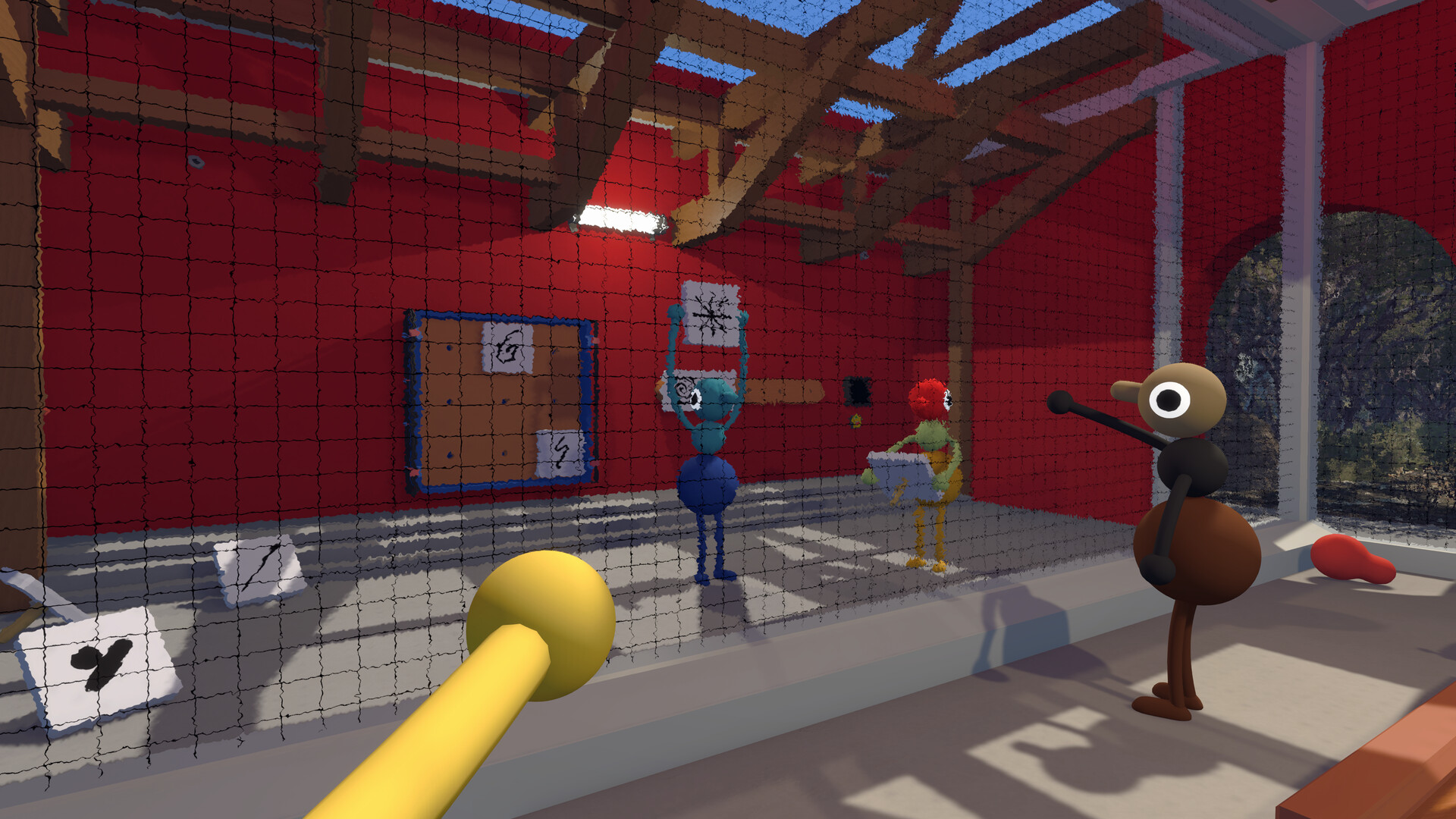
| 3. Paint your segments | Just past the starting field sits a structure holding a paintbrush and a wall of color swatches. A friend must do the painting, so pick your three colors before you go. |
| 4. Follow the red pathway | The red walkway leads out of the starting area into the open island. Towers beyond it can be attempted in any order, so follow curiosity rather than a fixed route. |
| 5. Collect as you go | Colorful structures mark useful gear: tools, backpacks, and collectibles that towers ask for. Anything you hold or wear comes back with you, even after a break. |
⚠ Heads up
You cannot finish the tutorial alone. The opening key puzzle expects a second player, and so does almost everything after it, so treat finding a friend as step zero.
How Voice Chat Works in Big Walk
Big Walk uses in-game proximity voice rather than a lobby channel. Your voice reaches whoever is near your character, it fades over distance, and facing matters: someone turned away from you is harder to hear than someone standing in front of you. Plenty of puzzles expect you to talk in a low voice rather than shout across the island.
- Proximity rules apply across platforms, so a PC player and a console player share the same voice radius
- Volume normalization patches have made quiet voices easier to hear than they were at launch
- If a friend sounds distant, move your character before you go looking for a setting
Seven Tips Before You Set Out
Small habits that make the whole island friendlier, collected from how the game actually behaves once you are past the tutorial.
Treat proximity chat like real life
Voices fade over distance and direction matters: a friend facing away from you is hard to hear even two steps back. Turn toward whoever is speaking, get physically closer, and resist swapping to outside voice chat: many puzzles expect deliberately hushed communication.
Jump more than you think
The island floor is bumpy with trees and rocks, and it is easy to catch on a slope or pebble. Jumping unsticks you, and because hopping beats walking uphill, spamming jump genuinely speeds up travel. Just make sure your friends hop too, or you will lose them.
Falls stun, they do not kill
There is no fall damage, but a long tumble stuns you briefly and drops whatever is in your hands. Items worn on your back or hip stay secure. Grab dropped gear fast, since small items like laser pointers roll away into the grass. That asymmetry is the whole reason to wear a pack rather than trust your grip.
Turn on every light you pass
Fruit-shaped bulb lights sit on pedestals around the island, and puzzle structures have their own switches. Flipping them on will not light the whole night, but from a tower top the lit spots show you where you have already been.
Agree on names for symbols
Many puzzles ask one player to describe symbols that others must find or match. Groups that settle on shared nicknames early (whatever sticks) solve these chains far faster than groups negotiating every shape from scratch.
Everything has a second use
A flashlight flicking on and off makes a clean yes/no signal. A radio playing music or a laser pointer dotting the sky helps friends find you. Tools are communication devices first, so experiment.
Keep the same crew
Progress lives with the host, but the experience is tuned around one steady group finishing together. Same faces from drawbridge to ending is how the game plays best.
PC System Requirements
| Component | Minimum | Recommended |
|---|---|---|
| OS | Windows 10 64-bit | Windows 11 |
| Processor | Intel Core i7-7700K or AMD Ryzen 5 1600X | Intel Core i5-10600K or AMD Ryzen 7 3700X |
| Memory | 12 GB RAM | 16 GB RAM |
| Graphics | NVIDIA GeForce GTX 750 Ti 2GB / AMD Radeon R7 370 2GB / Intel Arc A380 6GB | NVIDIA GeForce GTX 1070 8GB / Radeon RX 5600 XT 8GB / Intel Arc A750 8GB |
FAQ
Can you play Big Walk solo?
No. Big Walk needs at least two players in a lobby. The design leans entirely on cooperation: puzzles are built so someone else must hear you, see you, or help you carry things.
How many people can play Big Walk together?
Up to twelve players in one online lobby, and as few as two. Puzzle difficulty and content adjust to your group size, and the adjustments stay the same for any group of four or larger.
Is Big Walk good for beginners?
Yes. There are no fail states to punish wandering, no combat, and no timed inputs required (an option exists to remove them entirely). The main skill is talking with your friends, and the tutorial island section teaches everything hands-on.
Do both players need to own Big Walk?
Yes for Steam lobbies: every participant needs the game. On PlayStation 5, Big Walk was offered as a PlayStation Plus Monthly Game for August 2026, so subscribers claimed it at no extra cost during that window.
How long does a Big Walk session take?
It depends entirely on your group. The island is meant to be wandered at your own pace, and the host keeps save data between sessions, so you can trek for twenty minutes or settle in for a multi-night journey to the ending.
Last updated: September 4, 2026